Consecutive Candles EA MT5: Free Grid Trading Robot for Consecutive Candle Strategies
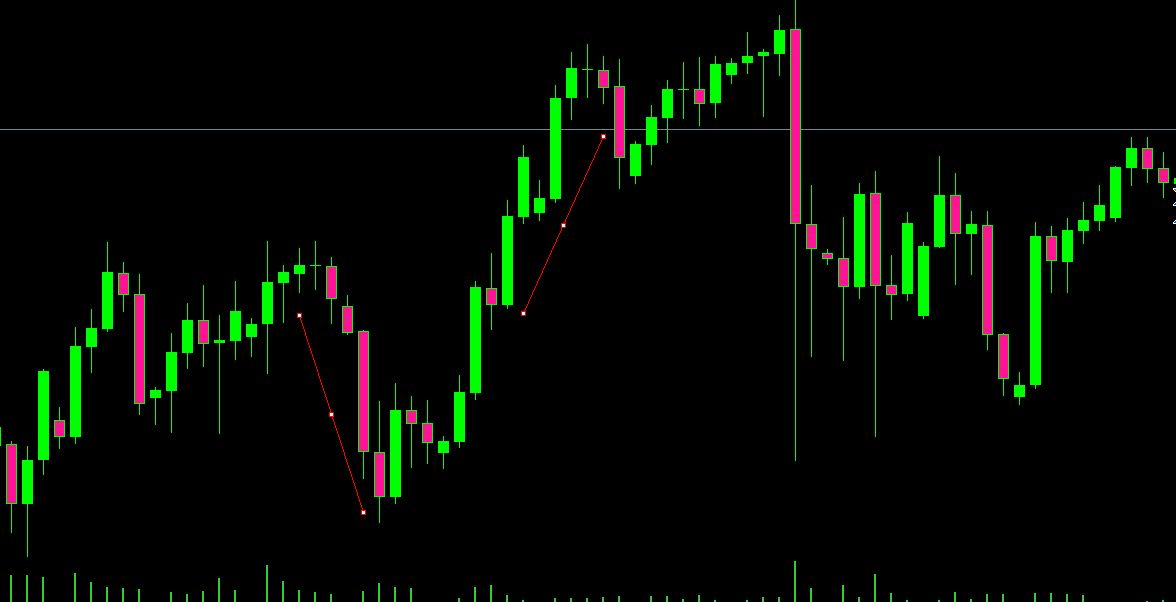
A Consecutive Candles EA (Expert Advisor) is an automated algorithmic trading robot for MetaTrader 5 that detects streaks of consecutive bullish or bearish candles and enters trades based on those price sequences. Whether you trade momentum breakouts or scalping reversals, this grid-based EA gives you full control over streak length, trade direction, and grid spacing.
Unlike traditional grid robots that open orders at fixed price intervals regardless of market context, the Consecutive Candles Grid EA waits for a specific number of same-direction candles to close — a signal that either momentum is strong (trend following) or the market is overextended (mean reversion) — before entering. This contextual awareness makes it more intelligent than blind grid strategies.
Below you will find a complete breakdown of how the EA works, its input parameters, installation guide, and a free ConsecutiveCandlesGrid.ex5 download.
How the Consecutive Candles EA Logic Works
The EA tracks the closing direction of recent candles. When a user-defined number of consecutive candles close in the same direction, a trade is triggered. The logic branches into two distinct strategies:
1. Trend Following (Breakout Mode)
If 3 or 4 consecutive candles close in the same direction (e.g., all bullish), the EA enters a buy order, expecting momentum to carry forward. This is ideal for trending markets where strong directional moves follow initial breakouts. Key MQL5 functions powering this logic include CopyClose() to fetch closing prices and PositionOpen() to execute trades.
2. Mean Reversion (Grid / Counter-Trend Mode)
If 5 to 7 consecutive candles close in the same direction, the asset is considered overbought (bullish streak) or oversold (bearish streak). The EA opens a counter-trend position expecting a snap-back reversal. A grid of pending orders at increasing distances averages the entry price, similar to a martingale structure but triggered by candle sequences rather than floating loss.
Core MQL5 Implementation
The EA uses a loop to check the close of the most recent candles:
- CopyClose() — Retrieves closing prices of the last N bars to compare direction.
- CopyOpen() — Gets opening prices for calculating individual candle body sizes.
- PositionOpen() / OrderSend() — Executes Buy or Sell trades once the streak threshold is met.
- Volume & Spread Filters — Ensures there is sufficient market activity during the streak to avoid low-liquidity fakeouts.
int countBullish = 0;
for(int i = 1; i <= BarsToCount; i++) {
if(close[i] > open[i]) countBullish++;
else break;
}
if(countBullish >= ConsecutiveCandlesThreshold) {
// Trigger buy signal
}
Complete Input Parameters Explained
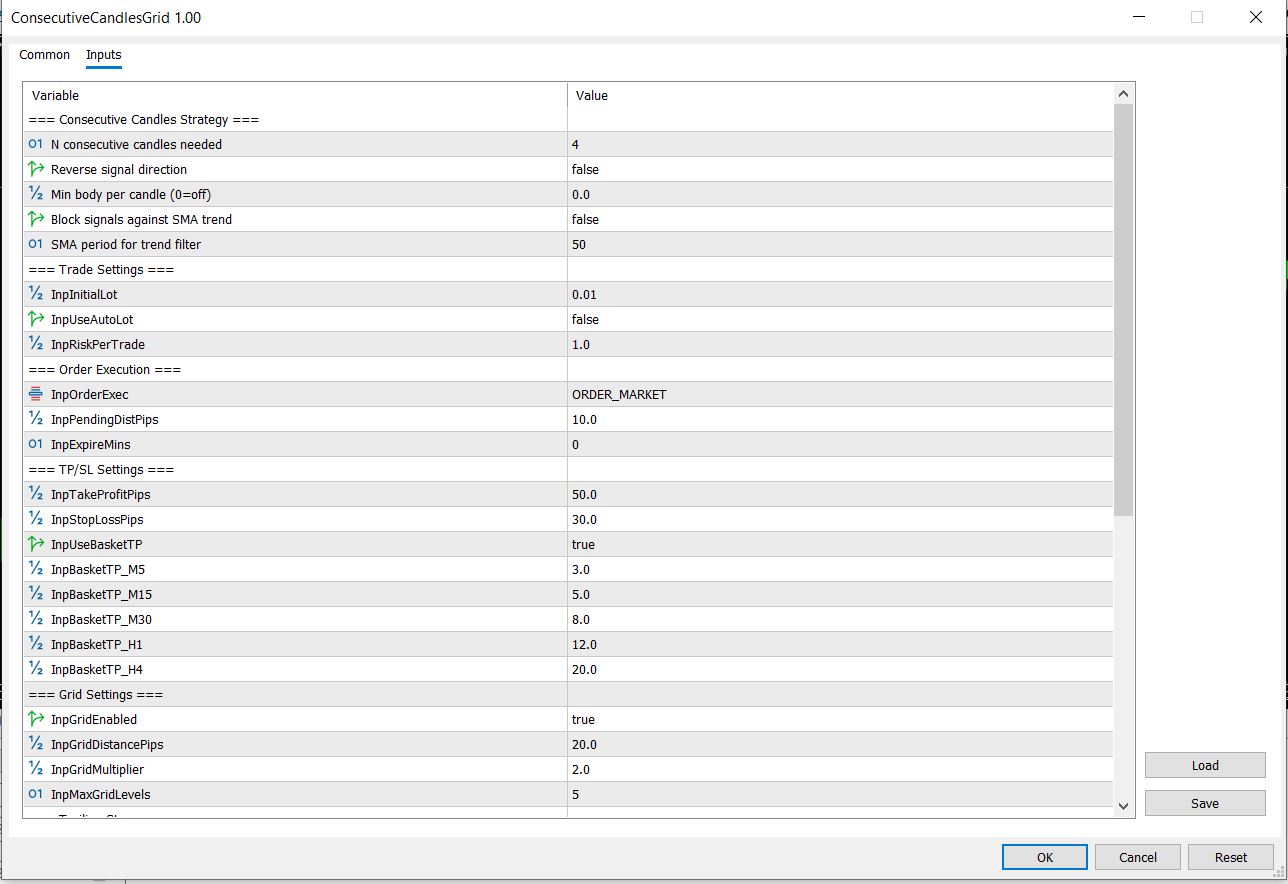
Each parameter below directly controls how the EA detects streaks and manages risk. Understanding them is critical for safe deployment:
How to Trade with the Consecutive Candles Grid EA
Trading with this EA is straightforward once the parameters are configured correctly:
- Choose Your Strategy Mode: Set ConsecutiveCandlesThreshold to 3-4 for trend following or 5-7 for mean-reversion grid trading.
- Set Timeframe: Attach the EA to an M15 chart for intraday or H1 for swing trading. The EA reads candle streaks from the Timeframe parameter.
- Configure Risk: Start with LotSize 0.01, GridOrders 3, and LotMultiplier 1.0. Never exceed 2% risk per grid cycle.
- Enable Volume Filter: Ensure MaxSpread is set to your broker's typical spread to avoid trading during volatile news events.
- Monitor: Check the EA every 4-6 hours initially. Grid strategies can accumulate positions during prolonged trends — set StopLoss if you cannot monitor frequently.
Installation Guide for MT5
Follow these steps to install the Consecutive Candles Grid EA on MetaTrader 5:
- Download the ConsecutiveCandlesGrid.ex5 file below.
- Open MetaTrader 5 and navigate to File → Open Data Folder.
- Open the MQL5 → Experts directory.
- Copy the downloaded .ex5 file into the Experts folder.
- Restart MetaTrader 5 or right-click Expert Advisors in the Navigator panel and select Refresh.
- Drag the EA onto your chosen chart and configure the input parameters.
- Enable Automated Trading (Alt+A) and ensure the smiley face icon is green.
Developer Notes (MQL5)
For developers who want to understand the internal architecture: the EA uses a sequential streak counting algorithm with early break to optimize performance. The grid engine is built on a position-averaging model where each new order's open price extends the average entry, and the take profit recalculates dynamically.
- Streak Detection: Uses a for-loop from i=1 to BarsToCount, breaking on the first candle that does not match the streak direction. O(n) complexity — efficient for up to 100 candles.
- Grid Averaging: Each grid order has its own take profit calculated as (average entry + GridStep * index * LotMultiplier).
- Memory Optimization: Uses static arrays for price data rather than dynamic reallocation to prevent memory fragmentation on long-running instances.
- Error Handling: Implements retry logic with 3 attempts on OrderSend failure, with 100ms delay between retries.
Download Consecutive Candles Grid EA for MT5
Download the compiled Expert Advisor below. The .ex5 file is ready for installation — no source code (.mq5) is included. Compatible with MetaTrader 5 build 4000+.
- Platform: MetaTrader 5 (MT5)
- Strategy Type: Grid / Consecutive Candle Streak
- Asset Class: Forex, Commodities, Indices (optimized for EURUSD, XAUUSD, GBPUSD)
- Timeframes: M1 to D1
- File: ConsecutiveCandlesGrid.ex5 (compiled, no source)
- Alerts: Pop-up and Push Notifications on trade execution
Frequently Asked Questions
What is a Consecutive Candles EA?
A Consecutive Candles EA is an automated trading robot for MetaTrader 4 or 5 that detects streaks of consecutive bullish or bearish candles and executes trades based on those price sequences. It can follow the trend or trade reversals when price is overextended.
How does the Consecutive Candles Grid EA work?
The EA counts consecutive candles closing in the same direction using a loop that checks CopyClose() data. When the user-defined threshold (e.g., 4 bullish candles) is reached, it triggers a trade. In grid mode, it opens counter-trend positions with pending orders at increasing distances, averaging the entry price.
What are the key input parameters?
Key parameters include BarsToCount (how many candles to scan), ConsecutiveCandlesThreshold (streak length to trigger), TradeDirection (both, buy, or sell only), GridStep (pip distance between levels), LotSize, MaxOrders, TakeProfit, StopLoss, MaxSpread, and Timeframe selection.
What is the best timeframe for this EA?
M15 is recommended for intraday grid trading. H1 suits swing strategies. M1-M5 works for scalping with trend-following mode. Higher timeframes (H4-D1) are safer for mean-reversion grid strategies as streaks are more meaningful.
What is the 3 candle rule in trading?
The 3 candle rule is a technical trading concept stating that after three consecutive bullish or bearish candles, the market is likely due for a reversal or pullback. The Consecutive Candles EA automates this rule, allowing you to set any streak length (default 3) as the trigger threshold.
Is this EA safe for prop firm challenges?
Yes, when configured with a StopLoss and conservative LotSize (0.01), the EA can be prop firm compliant. Set MaxDailyLoss and MaxDrawdown if using the grid mode. Avoid high LotMultiplier values (keep at 1.0) to pass consistency rules.
Does it work on all forex pairs?
The EA works on any symbol. EURUSD and GBPUSD show the best results due to their consistent liquidity and moderate volatility. XAUUSD (Gold) works well with trend-following mode. Avoid exotic pairs with wide spreads during low-liquidity hours.
Go from article to implementation
Read the proof, then test the idea with calculators, free tools, case studies and a fixed-price build path.