IBKR RSI Pair Trader Python App: Tkinter Dashboard for Interactive Brokers Automation
A technical case-study style guide to a Python/Tkinter Interactive Brokers RSI pair trader: TWS connection, multi-timeframe RSI, basket logic, risk controls, news/session filters and safe paper-first deployment.

What This Page Covers
This page explains the architecture behind a desktop Interactive Brokers automation application built in Python with Tkinter and ib_insync. It is written for traders who want a custom IBKR trading app, not a generic script that sends orders blindly.
Technical Breakdown
What the application does
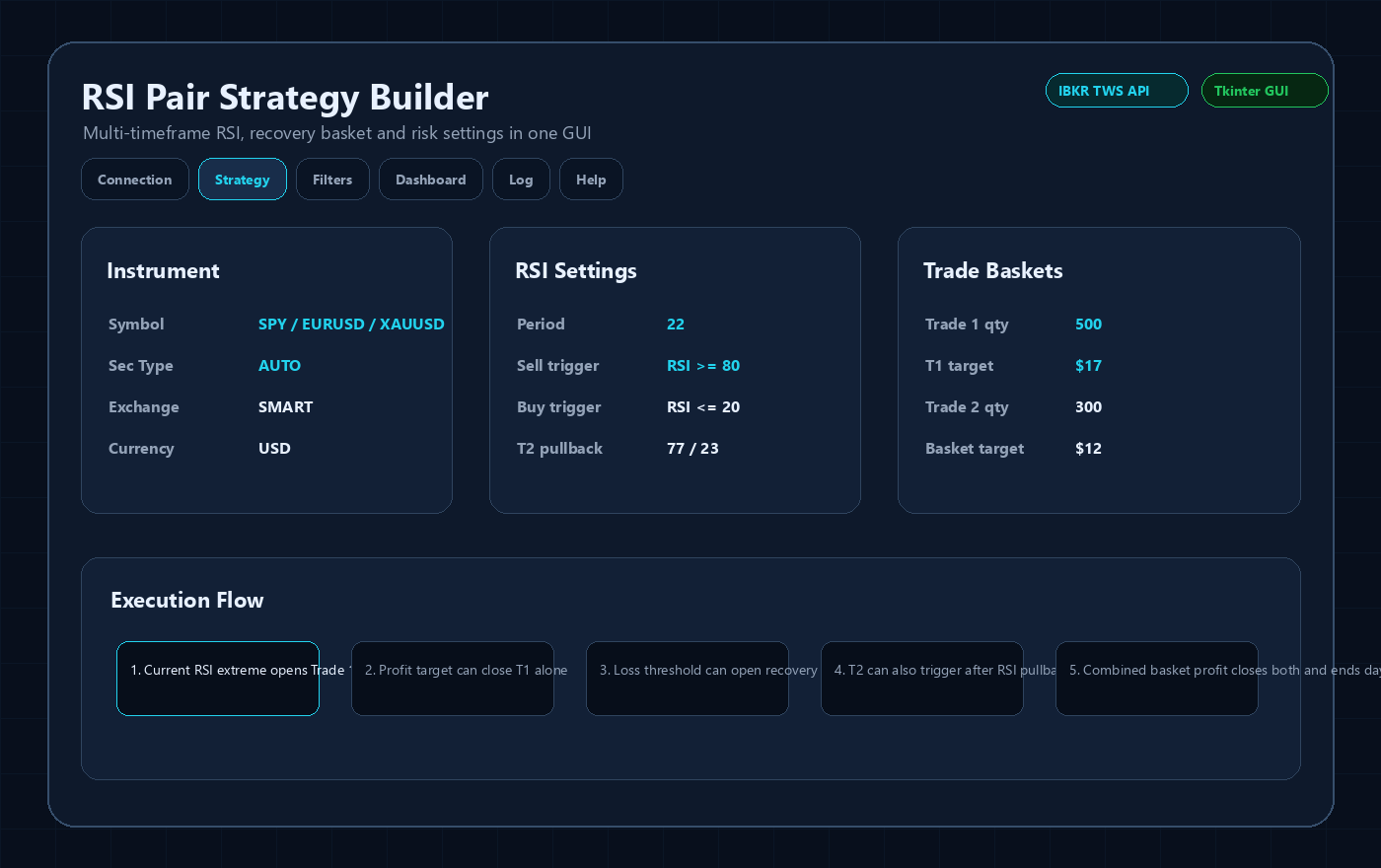
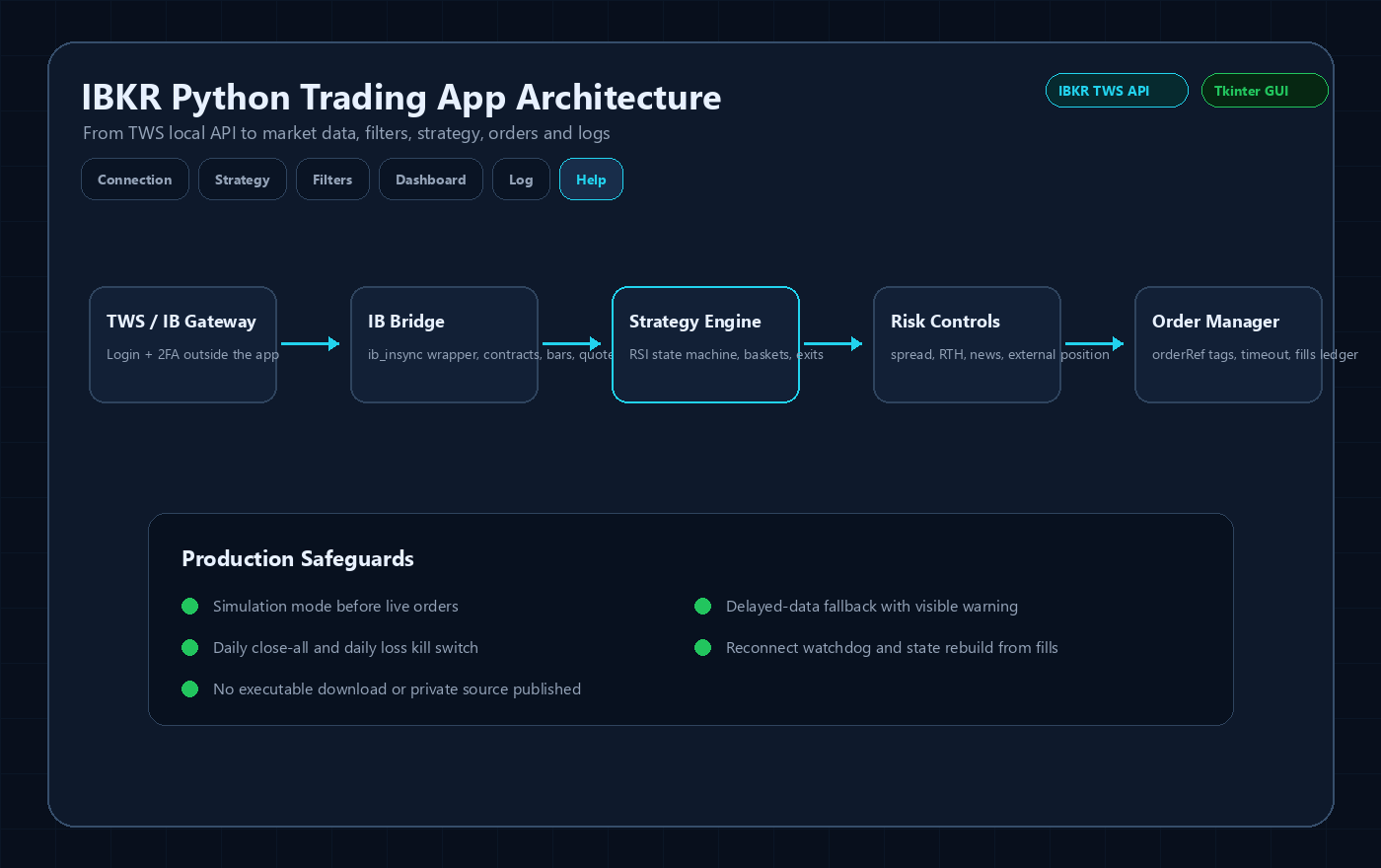
The application connects to an already logged-in TWS or IB Gateway session, resolves the selected instrument, loads market data, calculates RSI across M5, M15, M30, H1, H4 and D1, then manages a two-stage basket workflow with profit targets, recovery behavior, daily limits and visual monitoring.
Why this matters for custom IBKR development
Many Interactive Brokers Python bots fail because they only cover the happy path: connect, read a price, submit an order. A production desktop app needs connection states, delayed-data fallback, symbol ambiguity handling, order tagging, fills reconciliation, session rules and a safe operator interface.
Security boundary
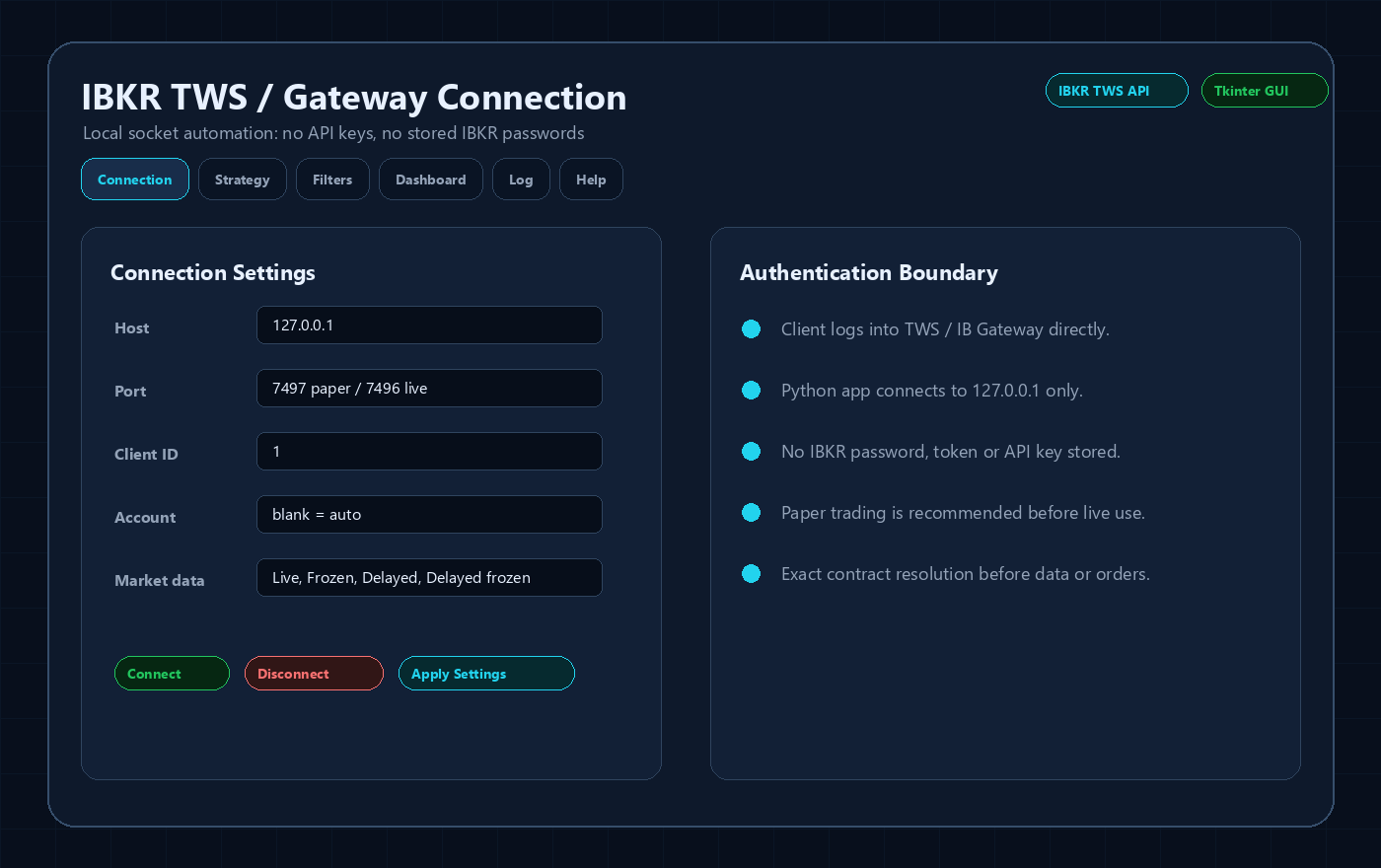
Interactive Brokers TWS API automation does not require publishing API keys. The user authenticates inside TWS or IB Gateway with username, password and 2FA. The desktop application connects locally to 127.0.0.1 using host, port and client ID. No IBKR password, token, account screenshot, executable or private source code is included on this public page.
Core trading workflow
The strategy is a port-style workflow: Trade 1 can trigger when current-candle RSI reaches an extreme; Trade 1 can close at its own profit target; Trade 2 can open as a recovery leg or after an RSI pullback; both baskets can be closed once combined P&L reaches the configured target.
Professional add-ons
The app adds safeguards that traders normally request after live testing: simulation mode, read-only mode, daily loss kill switch, max trades per day, spread checks, external-position guard, halted-symbol guard, market-hours filters, economic-news blackout windows, reconnect handling and file logging.
Sanitized Application Previews
These images are public UI previews based on the Tkinter application structure. They intentionally avoid real account IDs, live balances, broker credentials, downloadable executables and proprietary source code.
Important Risk and Security Notes
- This is software-development content, not investment advice or a profit guarantee.
- No IBKR username, password, 2FA code, account number, token, private executable or full source code is published here.
- Any live IBKR automation should be tested first in paper mode and reviewed against the current Interactive Brokers API behavior, account permissions and market-data subscriptions.
Related IBKR Python Guides
FAQ
Can this be customized for my own Interactive Brokers strategy?
Yes. The same architecture can be adapted for RSI, EMA, pairs trading, mean reversion, breakout, scanner, portfolio or risk-management workflows.
Does an IBKR Python bot need an API key?
No. TWS API automation normally connects to a logged-in TWS or IB Gateway session over a local socket. The app should not store the IBKR password.
Can the app trade stocks, forex and gold?
The architecture can resolve stocks and ETFs as STK, forex pairs as CASH on IDEALPRO, and spot metals such as XAUUSD as commodity-style contracts when supported by the account and market data permissions.
Is delayed data safe for live trading?
No. Delayed data is useful for testing the interface, but live trading should use the correct IBKR market-data subscriptions and paper testing before any real-money deployment.