IBKR Tkinter Trading Dashboard in Python: What a Client-Ready Trading App Needs
A practical guide to building a client-ready Tkinter trading dashboard for Interactive Brokers with connection tabs, strategy inputs, filters, dashboard state, logs and emergency controls.
What This Page Covers
A trading GUI is not decoration. It is the control surface that helps a trader avoid wrong symbols, wrong account mode, stale data, duplicate orders and hidden strategy state.
Technical Breakdown
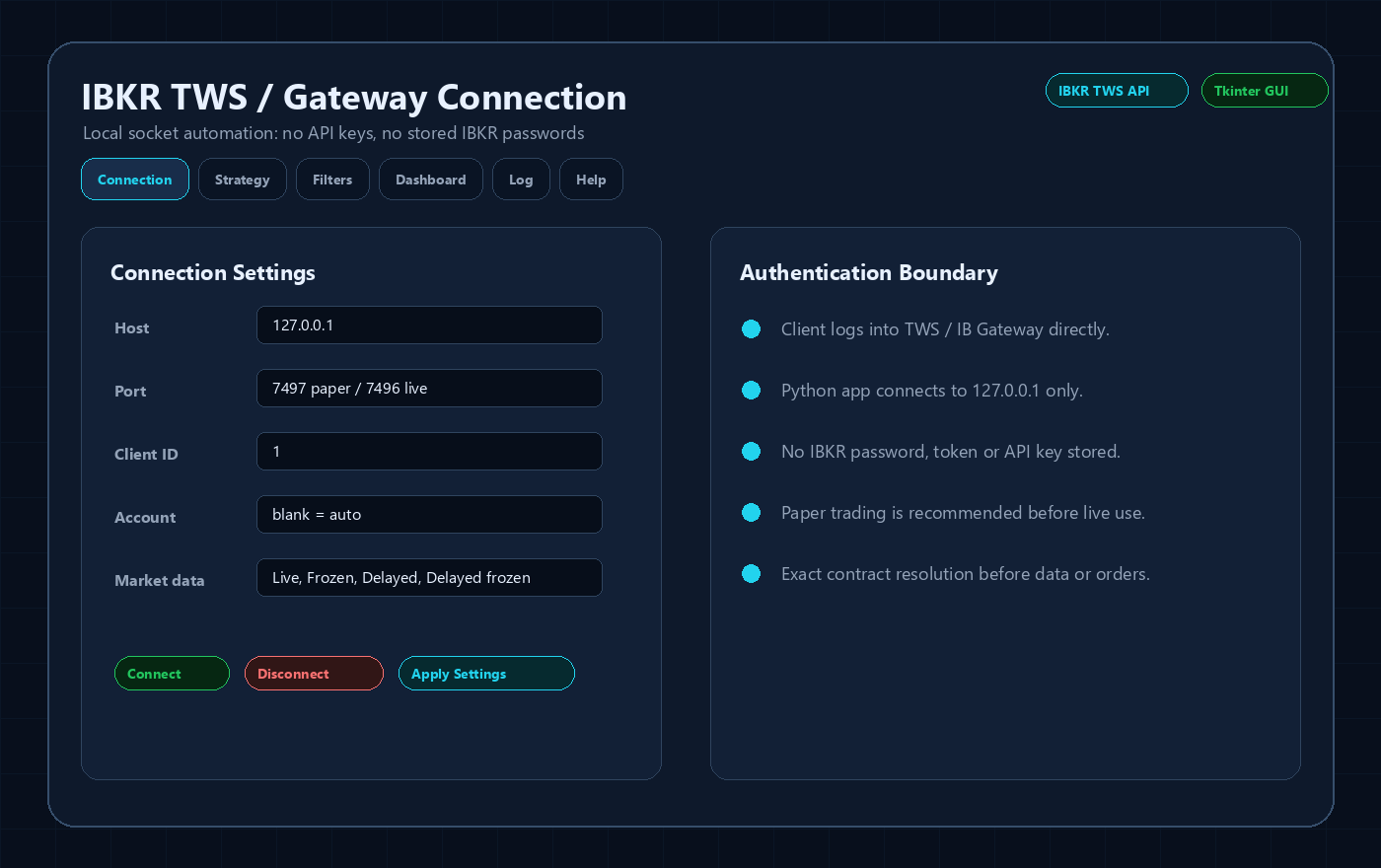
Connection tab
The user should see host, port, client ID, market data type, read-only mode, delayed-data fallback and reconnect settings in one place. Paper and live ports should be obvious.
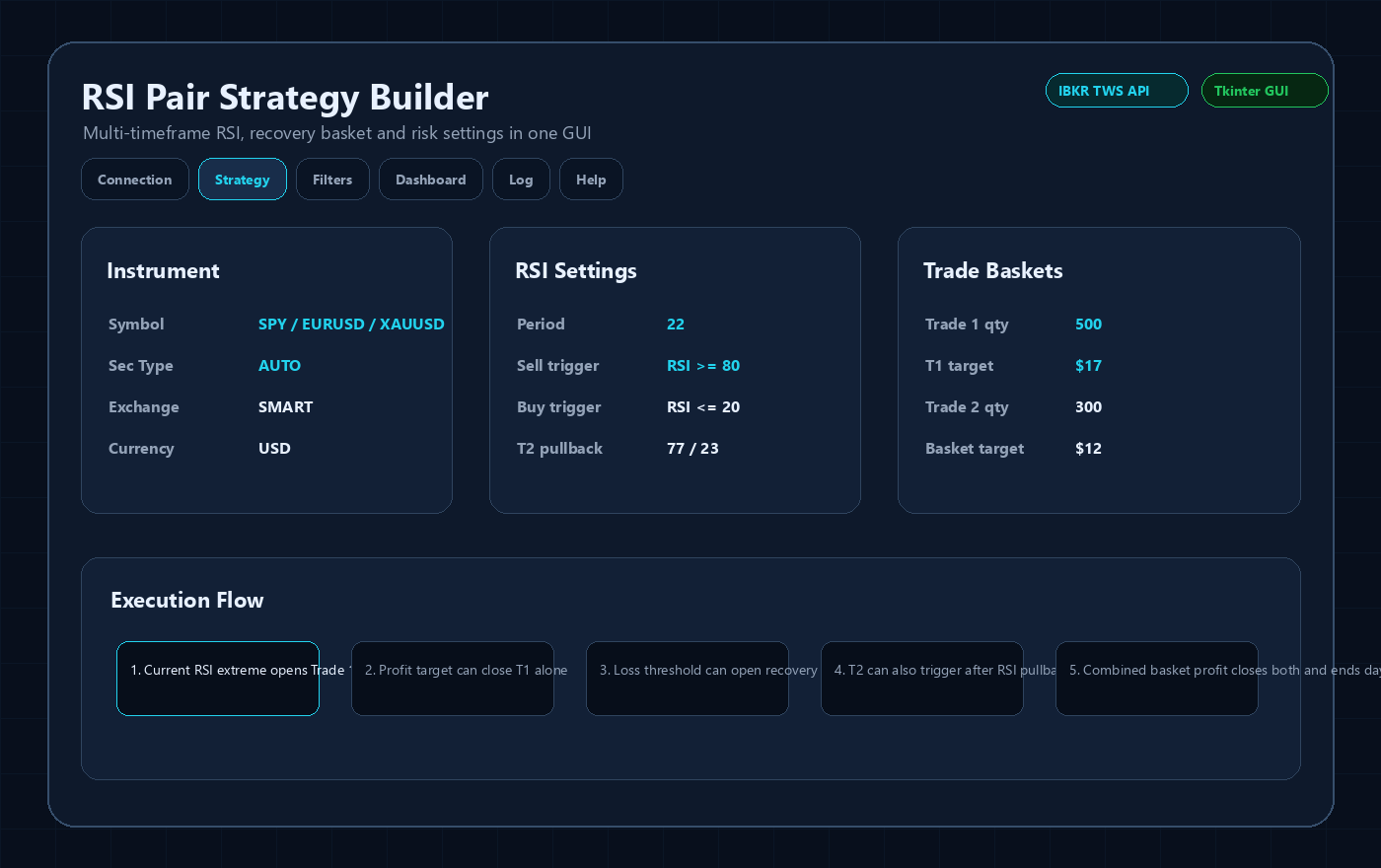
Strategy tab
Inputs should be grouped by instrument, indicator logic, Trade 1, Trade 2, recovery, limits and safety. This avoids the common mistake of hiding important risk settings inside code.
Filters tab
News blackout, market-session handling, Friday close avoidance, weekly-open avoidance and regular-trading-hours logic belong in explicit controls so the user understands why entries are blocked.
Dashboard tab
A proper dashboard should show connection state, contract details, bid/ask/last price, spread, RSI grid, basket state, entry blockers, news status, session status and simulation banner.
Log tab
The log should explain decisions in plain language: connected, contract resolved, data mode changed, entry blocked, order submitted, fill received, close requested or emergency stop triggered.
Sanitized Application Previews
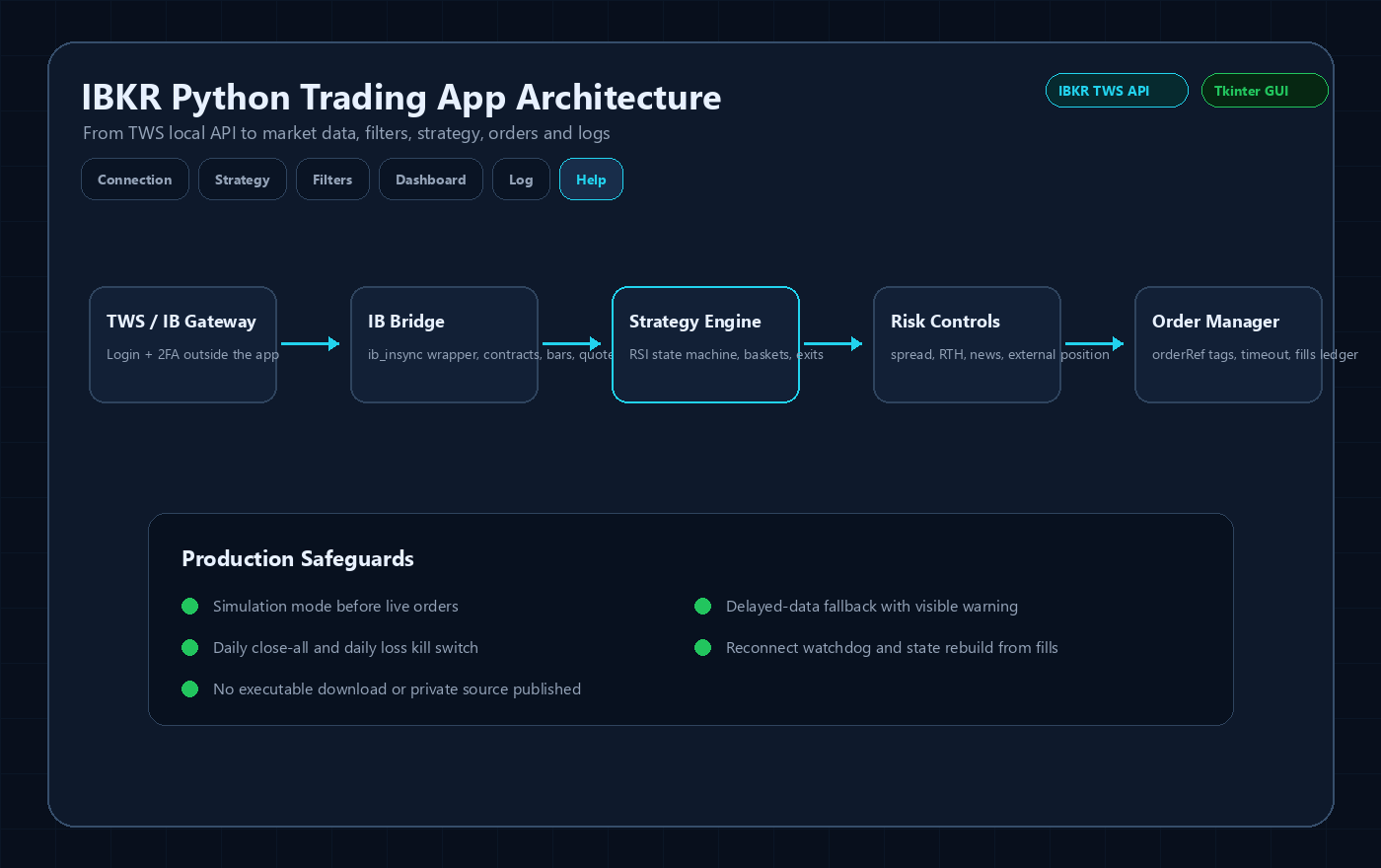
These images are public UI previews based on the Tkinter application structure. They intentionally avoid real account IDs, live balances, broker credentials, downloadable executables and proprietary source code.

Important Risk and Security Notes
- This is software-development content, not investment advice or a profit guarantee.
- No IBKR username, password, 2FA code, account number, token, private executable or full source code is published here.
- Any live IBKR automation should be tested first in paper mode and reviewed against the current Interactive Brokers API behavior, account permissions and market-data subscriptions.
Related IBKR Python Guides
FAQ
Why use Tkinter instead of only a console script?
A GUI is better for non-programmer clients because it exposes settings, status, logs and manual safety actions.
Can the GUI run while ib_insync is active?
Yes. One workable pattern is integrating Tkinter updates with the asyncio loop used by ib_insync.
Should the GUI show account numbers publicly?
No. Public screenshots and marketing images should be sanitized and avoid account identifiers or live balances.




