Interactive Brokers Python Trading Bot Architecture: TWS API, ib_insync and Safe Order Flow
How to design an Interactive Brokers Python trading bot with a clean TWS API bridge, market data state machine, contract resolution, order tagging and safe execution controls.
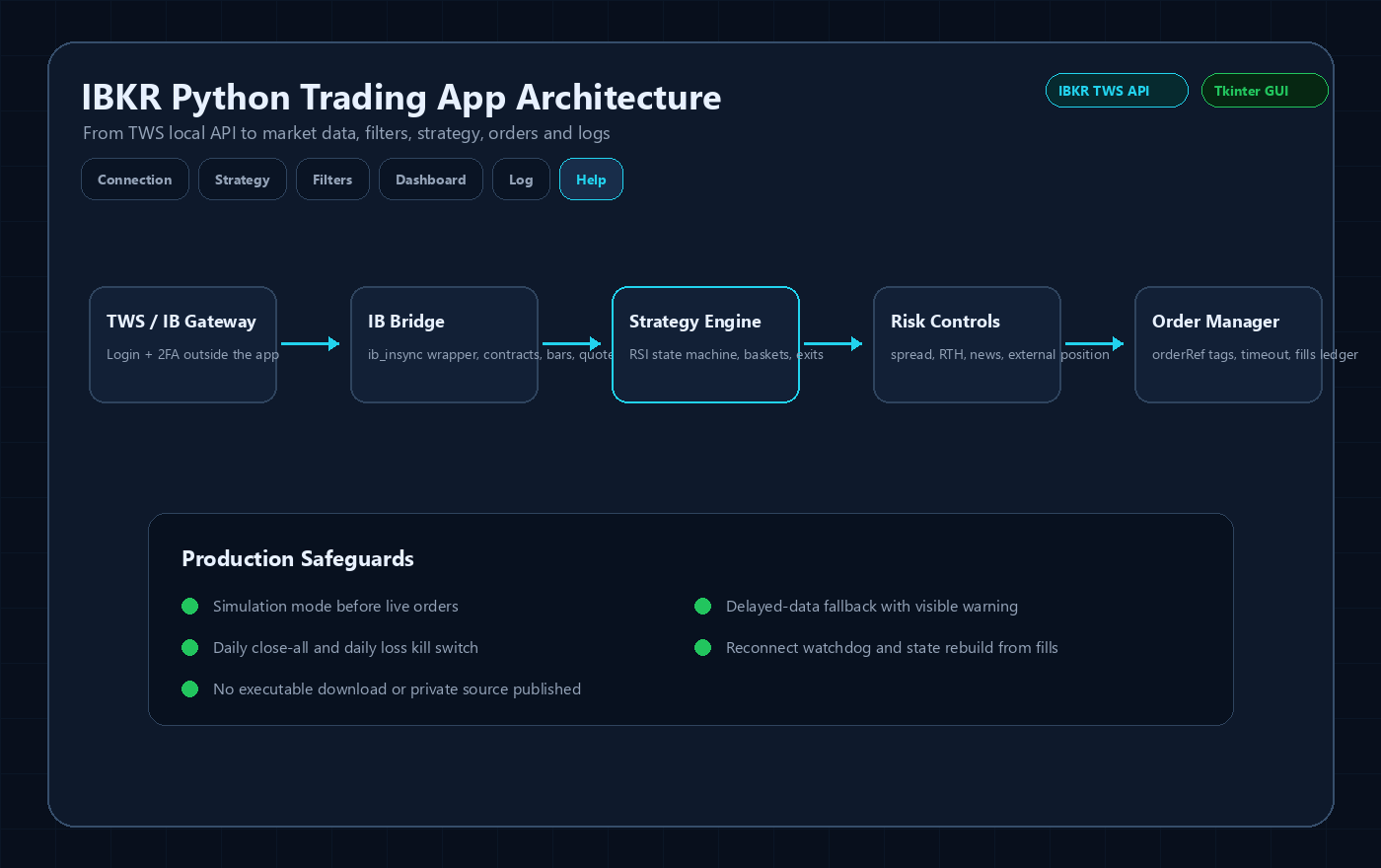
What This Page Covers
A serious IBKR bot should be designed as an application, not a loose order script. The key is separating broker connectivity, data access, strategy decisions, risk checks, orders, fills and operator controls.
Technical Breakdown
Connection layer
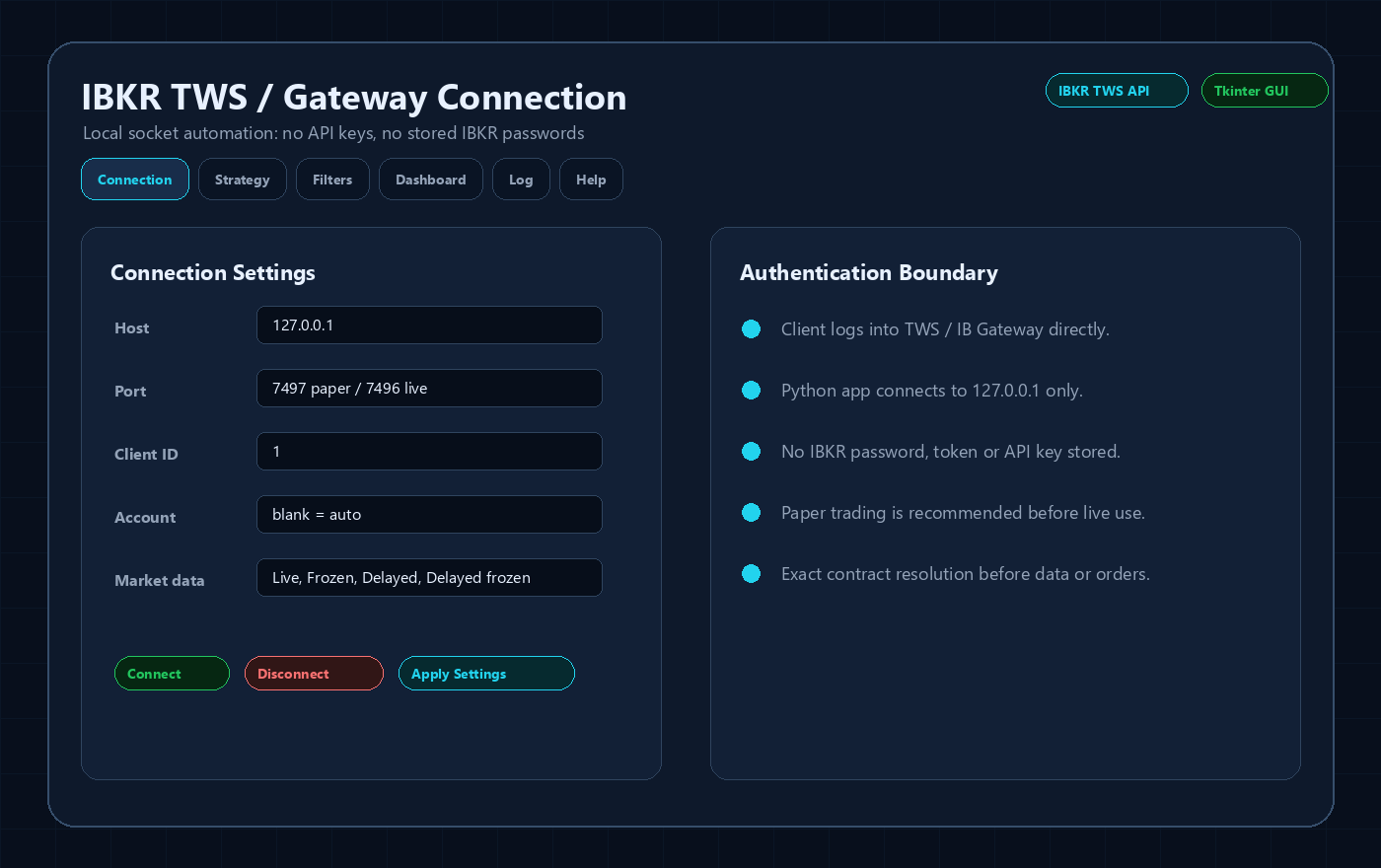
The connection layer should handle TWS and IB Gateway ports, client IDs, account selection, reconnect behavior and request timeouts. It should also keep authentication outside the app by relying on the user login inside TWS or Gateway.
Contract resolution
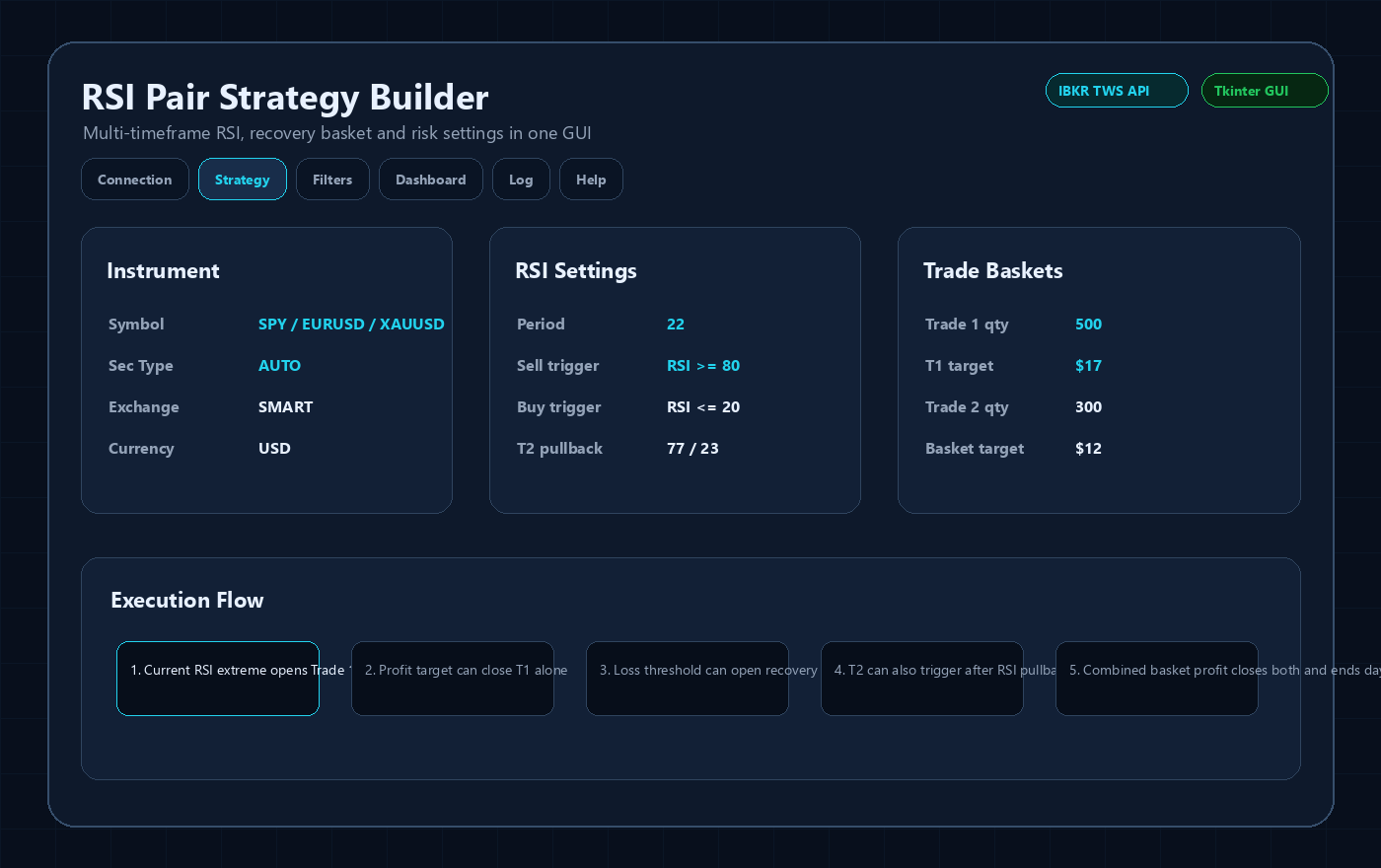
Symbol handling must happen before data requests or orders. EURUSD should not be sent as a stock. AAPL, SPY, EURUSD and XAUUSD require different contract assumptions, exchanges, currencies and historical data types.
Market data state machine
A robust bot should distinguish live quotes, delayed quotes, frozen data and bars-only fallback. When live data is unavailable, the UI must show the condition clearly and the strategy should block entries unless the trader explicitly accepts stale-data behavior.
Order and fill accounting
Orders should use identifiable references so the app can separate strategy positions from manual positions. Fills, commissions, partial fills, rejected orders and reconnect state need to be reconciled before the next decision.
Why I build this way
This design prevents the common failure where a backtest-style script places orders without knowing whether the broker contract, session, data quality or existing position state is actually valid.
Sanitized Application Previews
These images are public UI previews based on the Tkinter application structure. They intentionally avoid real account IDs, live balances, broker credentials, downloadable executables and proprietary source code.

Important Risk and Security Notes
- This is software-development content, not investment advice or a profit guarantee.
- No IBKR username, password, 2FA code, account number, token, private executable or full source code is published here.
- Any live IBKR automation should be tested first in paper mode and reviewed against the current Interactive Brokers API behavior, account permissions and market-data subscriptions.
Related IBKR Python Guides
FAQ
What library is commonly used for IBKR Python automation?
ib_insync is widely used because it wraps the official TWS API into a cleaner Python interface while still requiring TWS or IB Gateway.
Can an IBKR bot run on a VPS?
Yes, but it still needs TWS or IB Gateway running, stable session handling, restart planning and monitoring.
Should order logic be mixed with indicators?
No. Keeping signal generation, broker execution and validation separate makes the system easier to test and safer to maintain.




