IBKR Paper Trading Bot Setup in Python: TWS, Gateway, Ports and Testing Checklist
A practical setup checklist for testing Python trading apps with Interactive Brokers paper accounts, TWS/Gateway ports, market data permissions, simulation mode and log review.
What This Page Covers
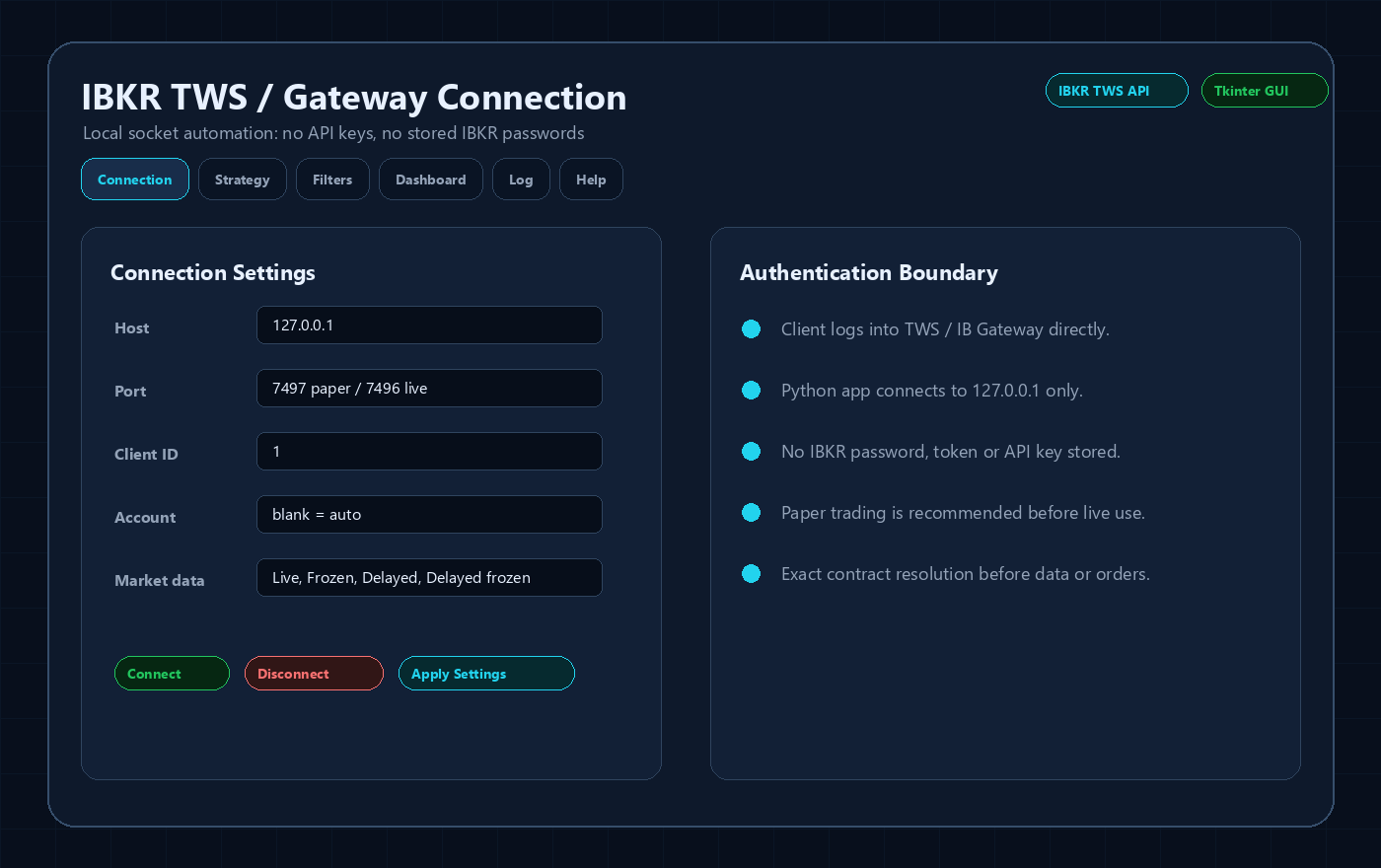
Paper trading is where the application should prove its mechanics before any real-money usage: connection, market data, symbol mapping, signal timing, order submission, fills, exits and logs.
Technical Breakdown
Paper account first
Interactive Brokers paper accounts let the user test the workflow without risking live capital. The bot should default toward paper-first validation and clear mode labels.
Ports and gateway choices
Typical TWS ports are 7497 for paper and 7496 for live. IB Gateway often uses 4001 for paper and 4002 for live. The app should make these presets easy to choose.
TWS API settings
The user must enable ActiveX and socket clients, trust 127.0.0.1, configure API order precautions and understand read-only mode.
Market data verification
A paper bot can still need real market data permissions. If subscriptions are missing, the app may receive delayed data or only historical bars, which changes live-trading suitability.
Testing checklist
Run simulation mode, confirm dashboard values, review logs for every block and order action, test emergency stop, then test small paper orders before considering live use.
Sanitized Application Previews
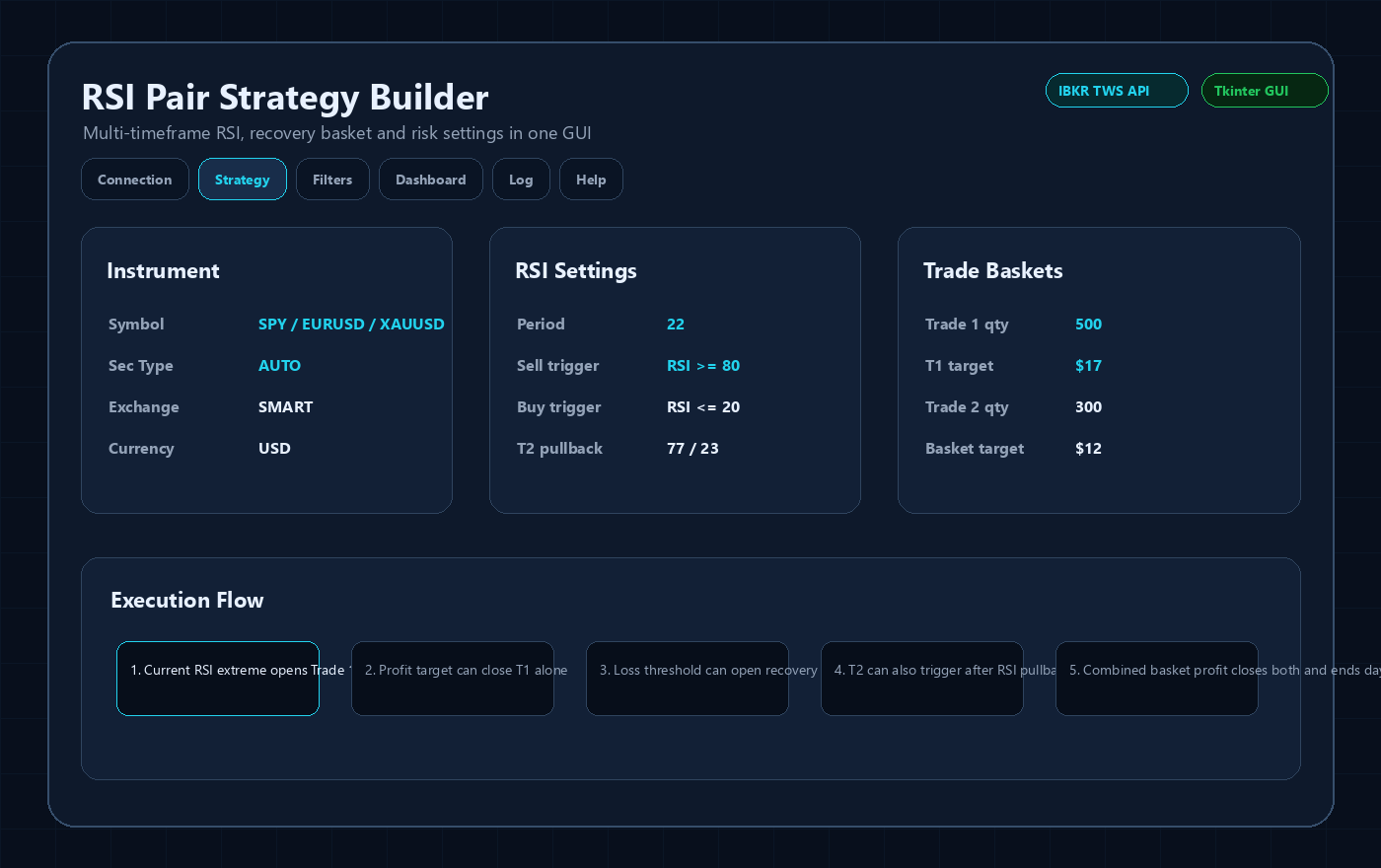
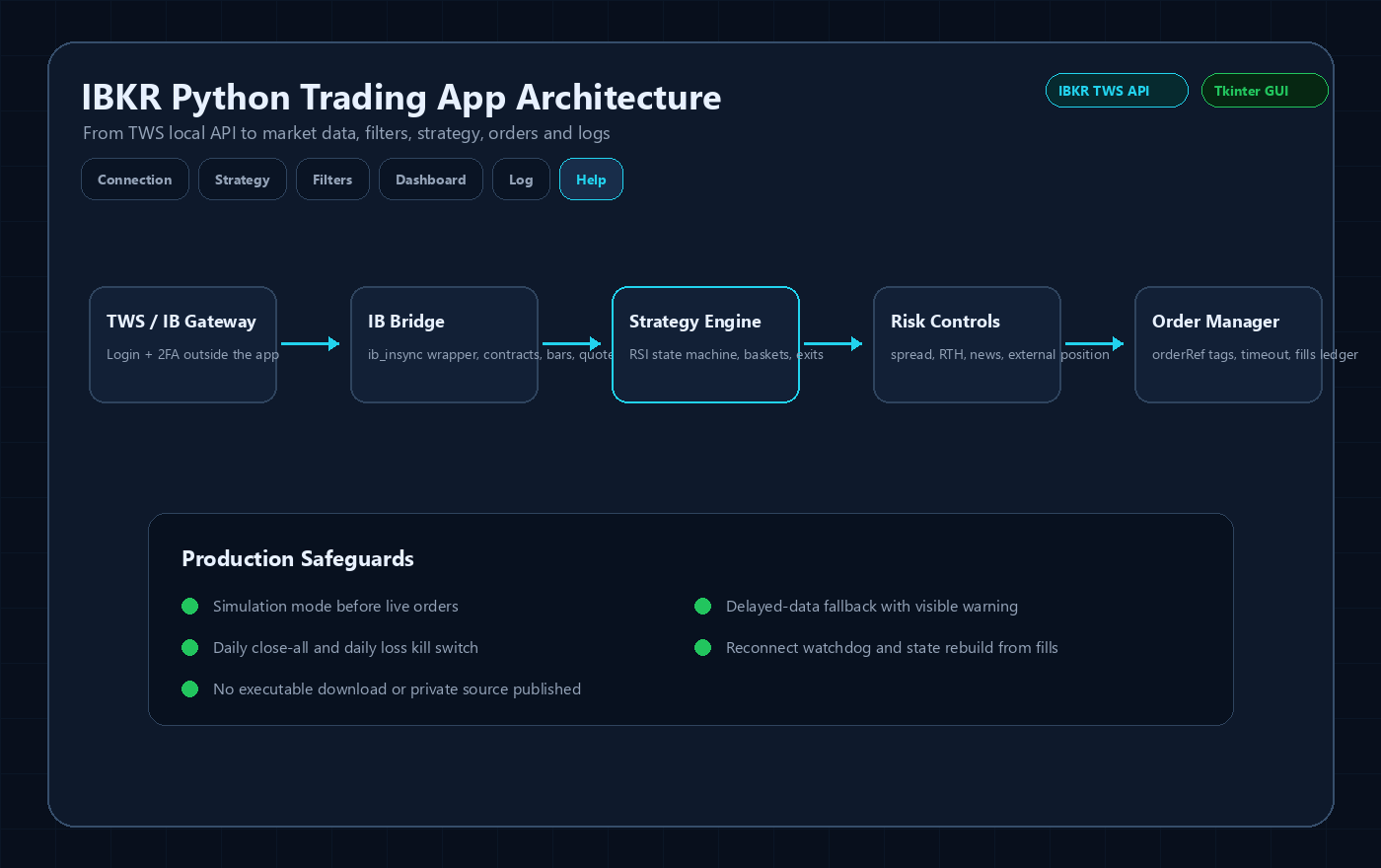
These images are public UI previews based on the Tkinter application structure. They intentionally avoid real account IDs, live balances, broker credentials, downloadable executables and proprietary source code.

Important Risk and Security Notes
- This is software-development content, not investment advice or a profit guarantee.
- No IBKR username, password, 2FA code, account number, token, private executable or full source code is published here.
- Any live IBKR automation should be tested first in paper mode and reviewed against the current Interactive Brokers API behavior, account permissions and market-data subscriptions.
Related IBKR Python Guides
FAQ
Can paper trading differ from live trading?
Yes. Paper fills, liquidity, borrow availability and delayed-data behavior can differ from live conditions.
Do I need TWS open?
Yes. A normal TWS API desktop app needs TWS or IB Gateway running and logged in.
Can the app be converted to an executable?
Yes, but public pages should not expose the executable or private source. Clients can receive builds privately.




